Budget Pro features

A budget planner that shows you what happens next

Budget Pro turns your income, bills, savings and transfers into a live plan and projects your balances weeks and months ahead. Change one figure and the whole forecast updates.

£89.99 once · no subscription · 30-day trial, no card

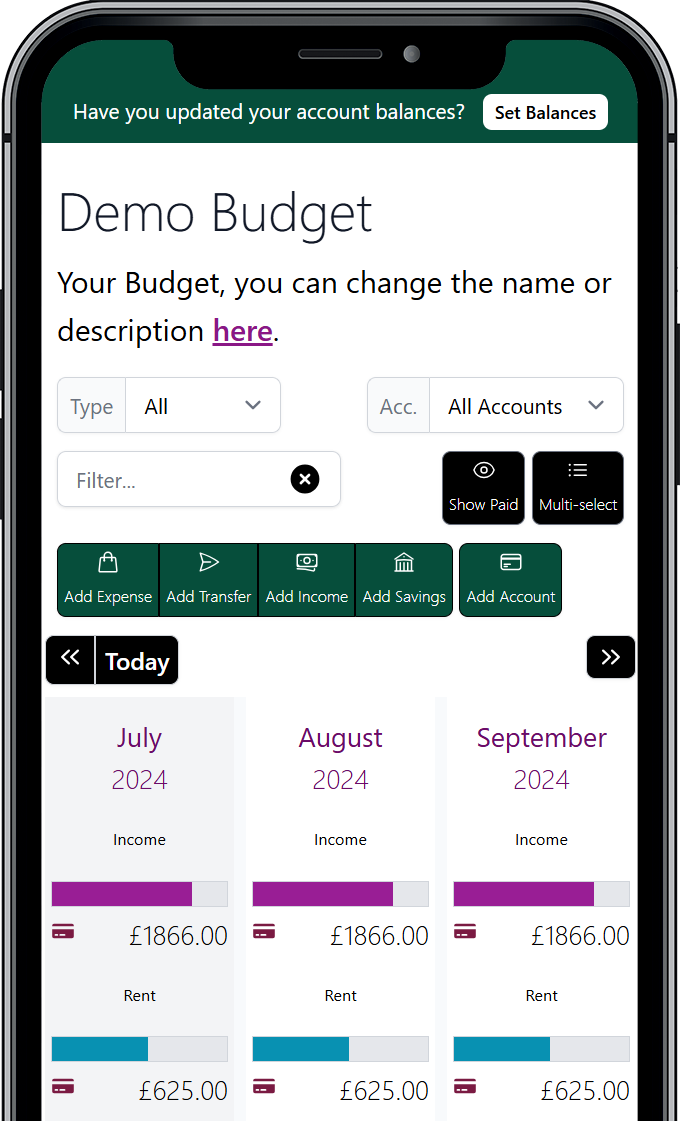
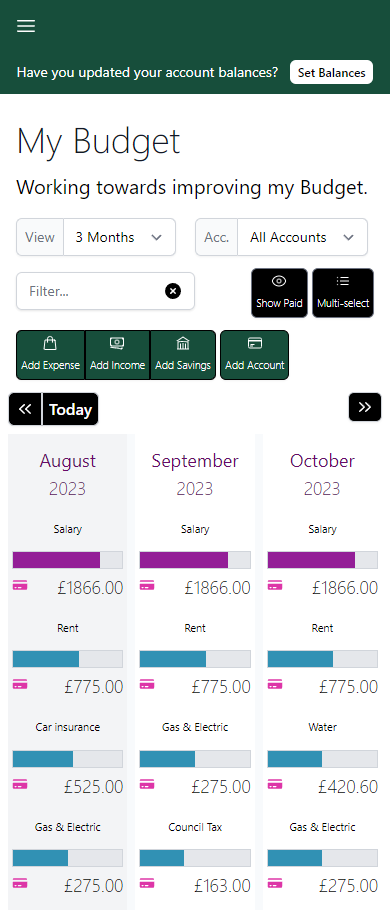
The Budget Pro plan showing several months and projected account balances

Coming from a spreadsheet or a tracking app?

Both tell you about money you have already spent. Neither keeps a reliable picture of what is coming. This is what Budget Pro is built to do instead.

No more hand-built formulas
Projections are worked out for you and stay correct when you change something.
A forecast, not a log
See the projected balance for every account, every month, not just what has happened.
It bends when life does
Four-weekly pay, a bill that skips the summer, a one-off month — handled without breaking the rest.
Scenarios without extra files
Run up to three separate budgets and compare how each plays out.

Why a budgeting spreadsheet isn’t enough · See the full comparison with a spreadsheet and the free Budget app

Plan months ahead, not just this one

Budget Pro turns your income, bills and savings into a forward plan and shows where your balances land weeks and months from now.

Projections that update as you plan

Every account has a live projection. Change an amount, move a date or add an item and the projected balances update straight away, so you can see the effect of a decision before you make it.

A Budget Pro balance projection for an expense account

A rolling three or six month view

See the months ahead next to each other and page forward or back through your plan. Pick three months for a tighter view or six to use more screen space.

The Budget Pro plan showing six months side by side

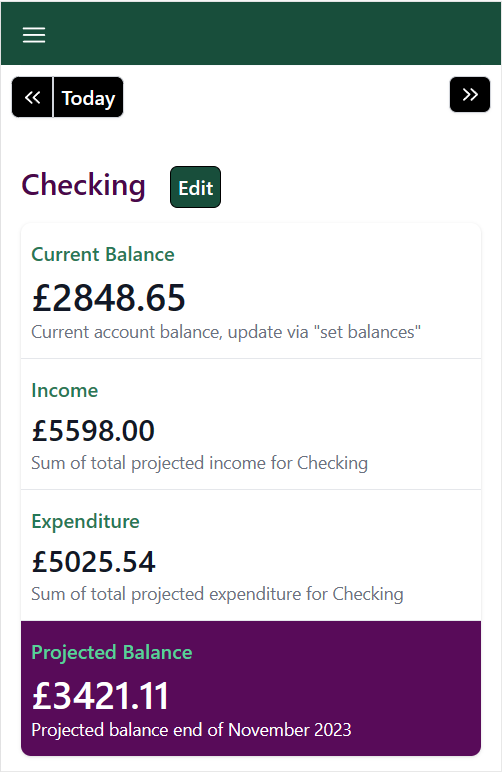
A projected balance for every month

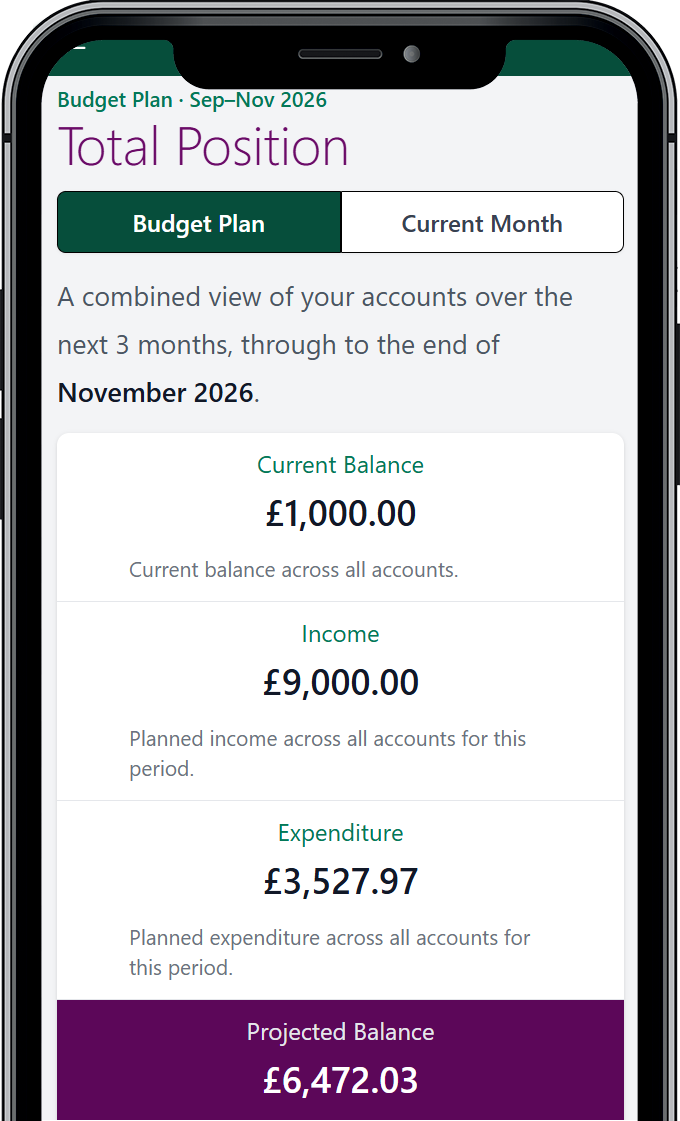
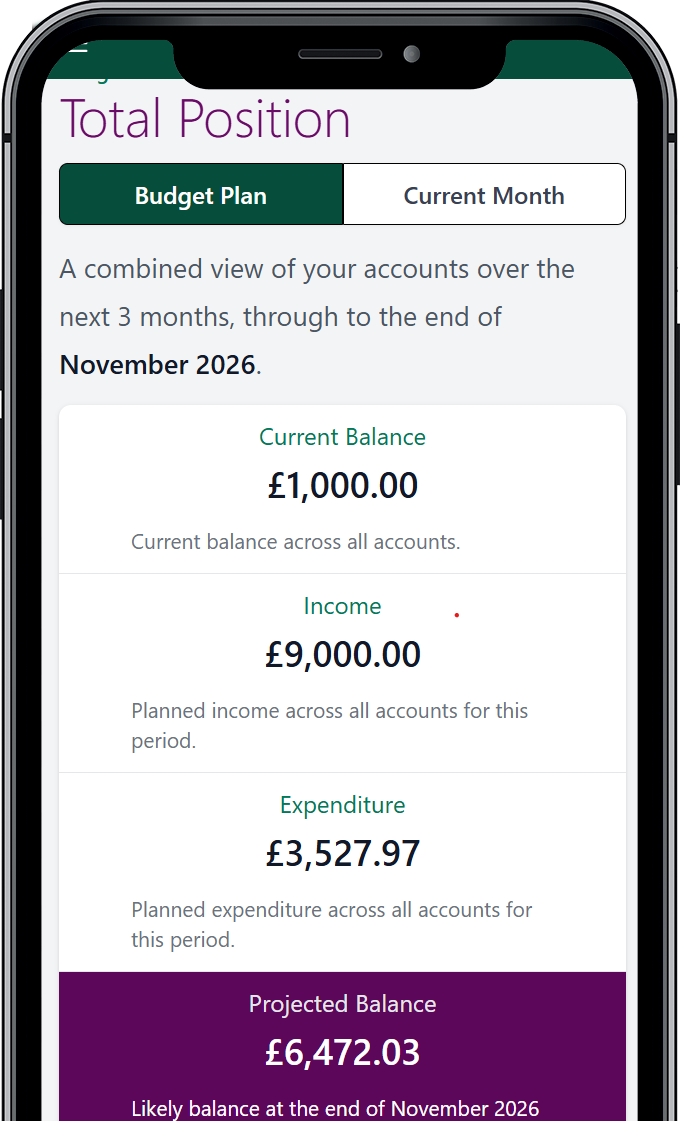
A combined view across all your accounts shows income, spending and the projected closing balance for each month in the plan.

The projected balance for each month across all accounts

Up to three separate budgets

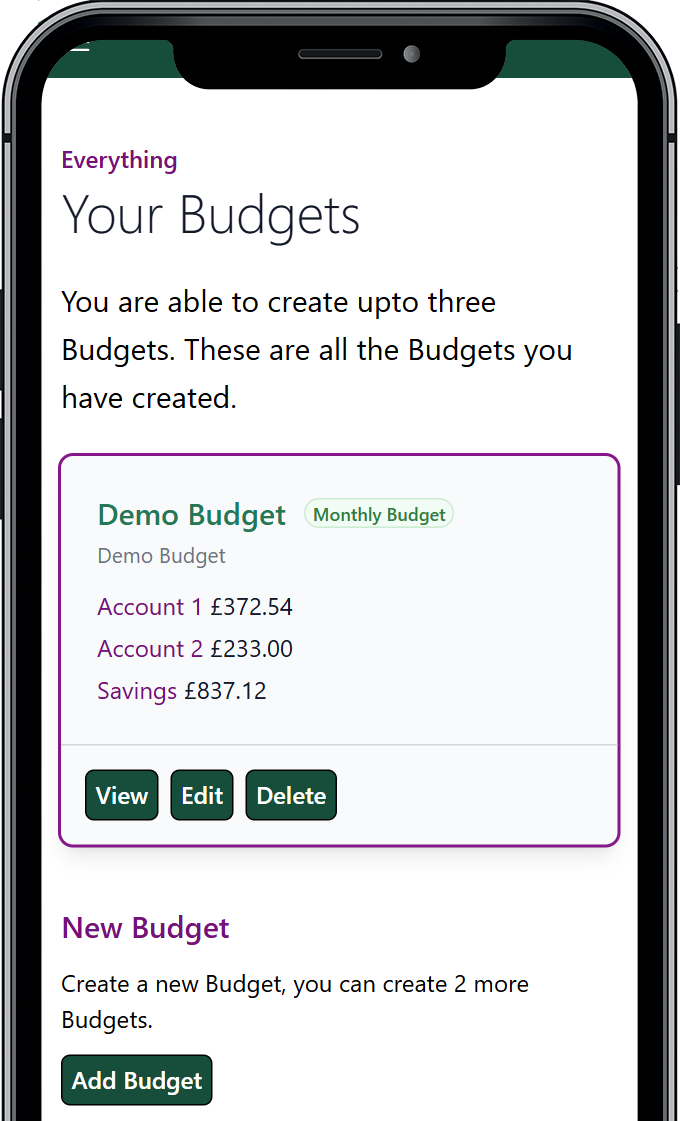
Keep personal, household or side-project money in their own budgets, each with its own accounts and currency, and switch between them in a click.

Switching between separate budgets in Budget Pro

Related reading: Why tracking your spending is not the same as budgeting

Model the way your money really moves

Real budgets are not all tidy monthly amounts. Budget Pro handles the awkward cases so your projection stays close to reality.

Income, expenses, savings and transfers

Plan money coming in, money going out, money set aside and money moved between your own accounts. Each type is reflected correctly in your projected balances.

Creating a budget item and choosing its type

Monthly, four-weekly, annual and one-off

Set each item to the schedule it actually follows. Four-weekly items are handled properly, including the months where they fall twice.

Choosing how often a budget item repeats

Change one month without breaking the rest

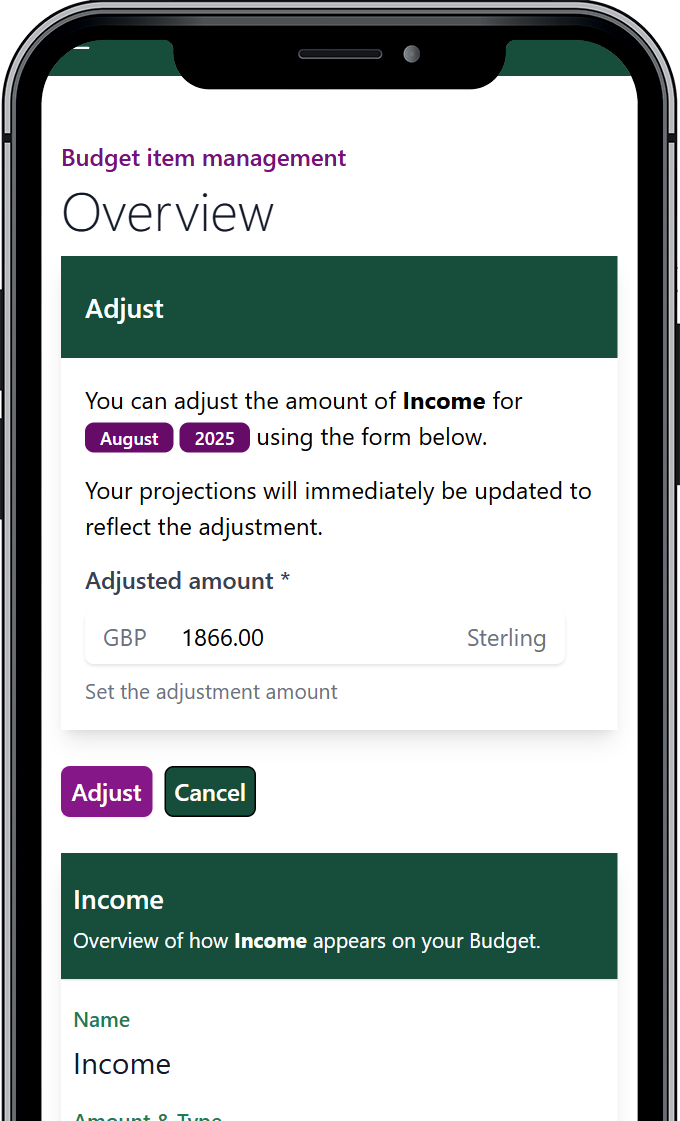
When you know a single month will be different, adjust that item for that month and reset it afterwards. The item itself and every other month are untouched.

Adjusting a budget item amount for one month only
Skip the months that do not apply
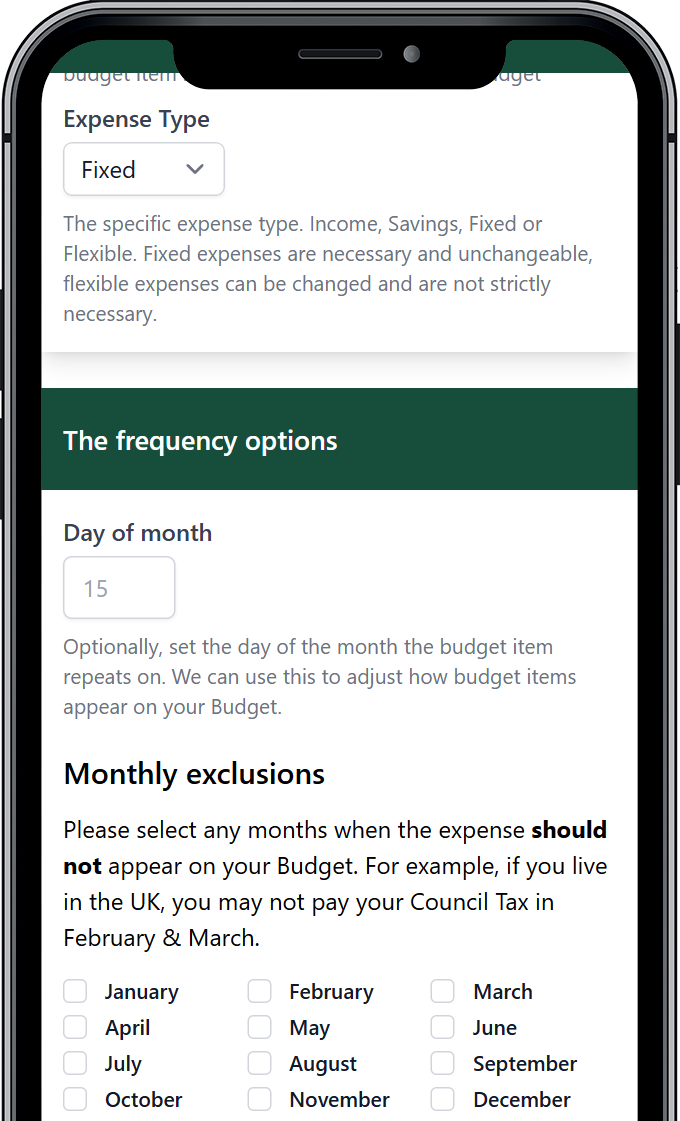
Some bills pause for part of the year. Tick the months an item should not appear and it drops out of the plan and the projections for exactly those months.
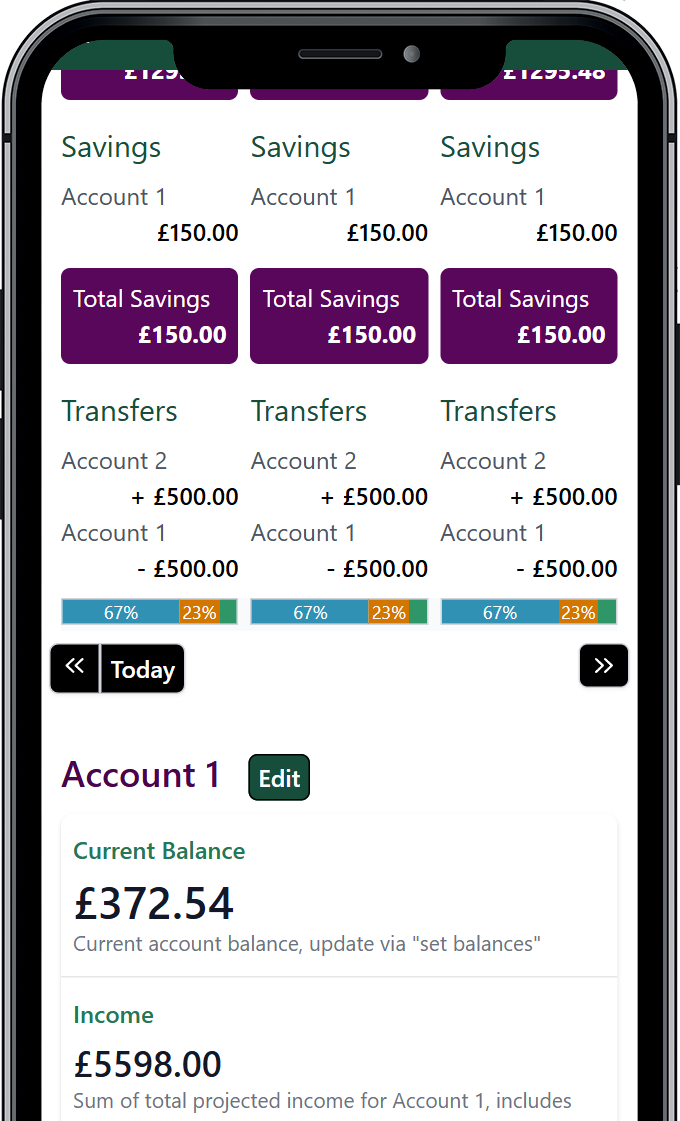
Transfers between your accounts
Move money from one account to another as a planned item. It leaves one projection and lands in the other.

Related reading: Budgeting with an irregular income

Try it for 30 days

£89.99 once. No subscription. No card needed for the trial.

Register (30 day trial)

Keep the plan honest as the month goes on

A plan is only useful if it stays current. Budget Pro makes the upkeep quick and keeps a record of what changed.

Mark items paid as they happen

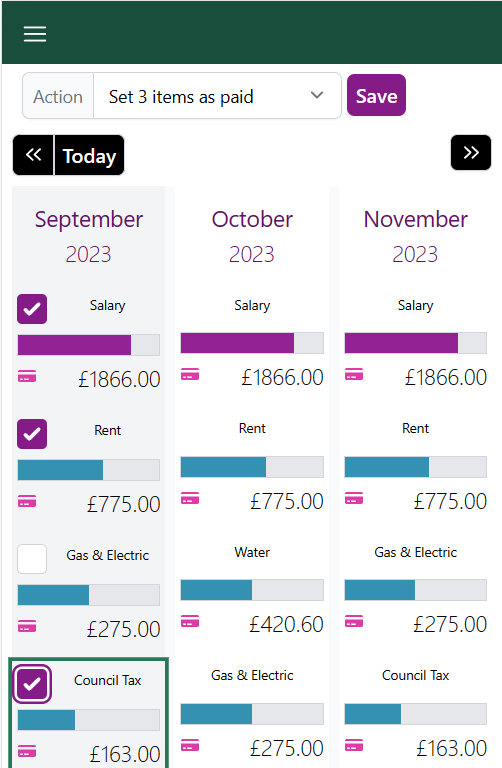
Tick off items in the current month so the projections for the rest of it stay right. Past months are marked up for you automatically.

Marking several budget items as paid at once

Update many items at once

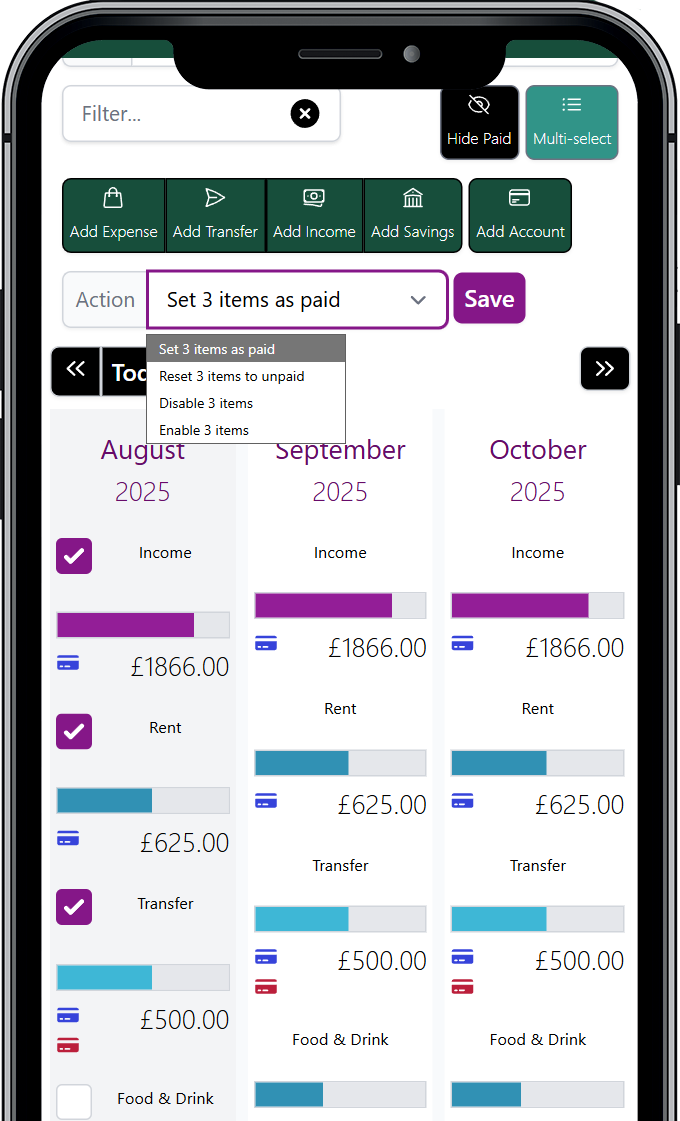
Select a group of items and mark them paid, or enable and disable them together, instead of one at a time.

Selecting several budget items to update them together

Every change is recorded

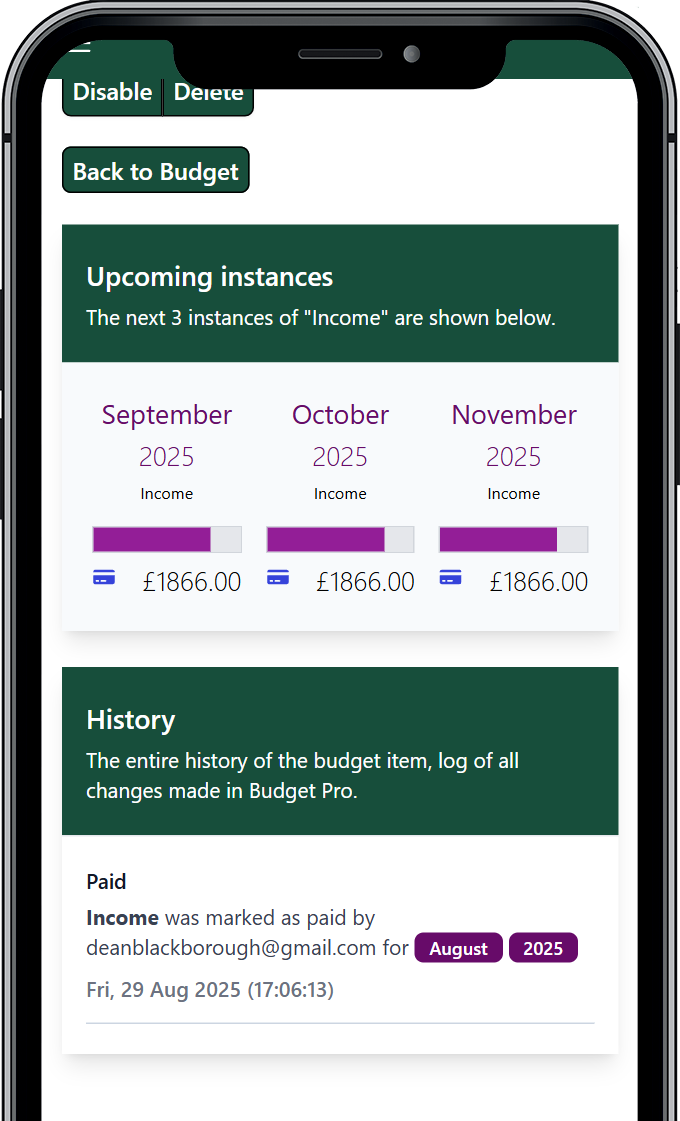
Each item keeps a full history: what changed, who changed it and when, including amounts, payments and one-month adjustments.

The change history for a single budget item
Disable, end or delete an item
Pause an item, end it from a date so it stays in your history, or delete it and restore it later. You choose how much of the record to keep.
Find any item quickly
Filter the item list by account or by text to get to what you need in a long budget.

Related reading: Good money habits

Set it up the way you think

Small settings that make the plan easier to read and quicker to start.

Your currency

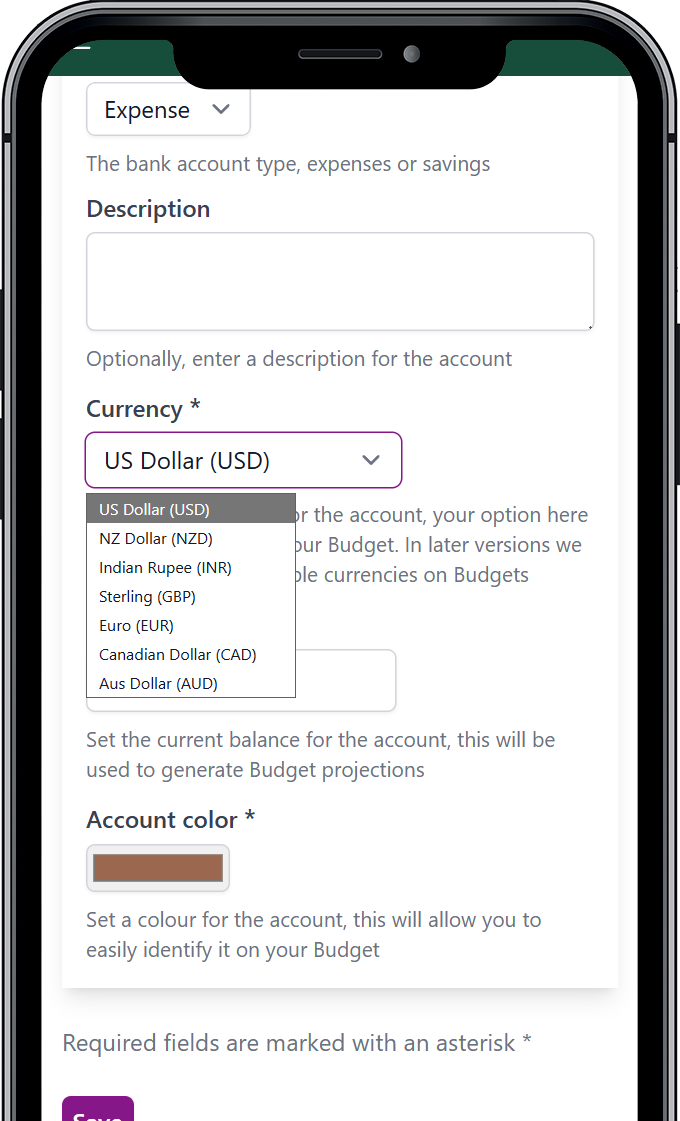
Budgets can be in Sterling, Euro, US, Canadian, Australian or New Zealand dollars, or Indian rupees. Each budget has its own.

Choosing the currency for a budget

See what each category costs you

Every expense type is shown as a share of the month, so it is clear where the money is going.

Each expense category shown as a percentage of the month

Colours, timezone and date formats

Give each account a colour, set your timezone and pick from eleven date formats so the plan reads the way you expect.

Budget Pro account and display settings

Start from your existing budget

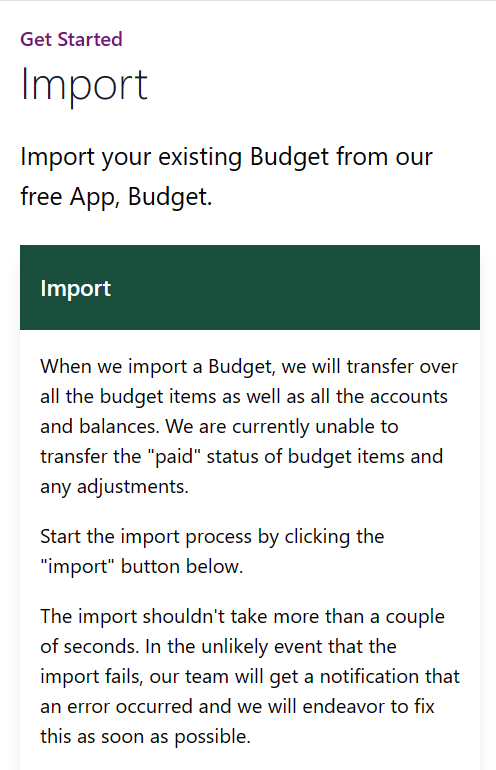
Already using the free Budget app? Import it and Budget Pro brings across your items, accounts and balances.

Importing a budget from the free Budget app
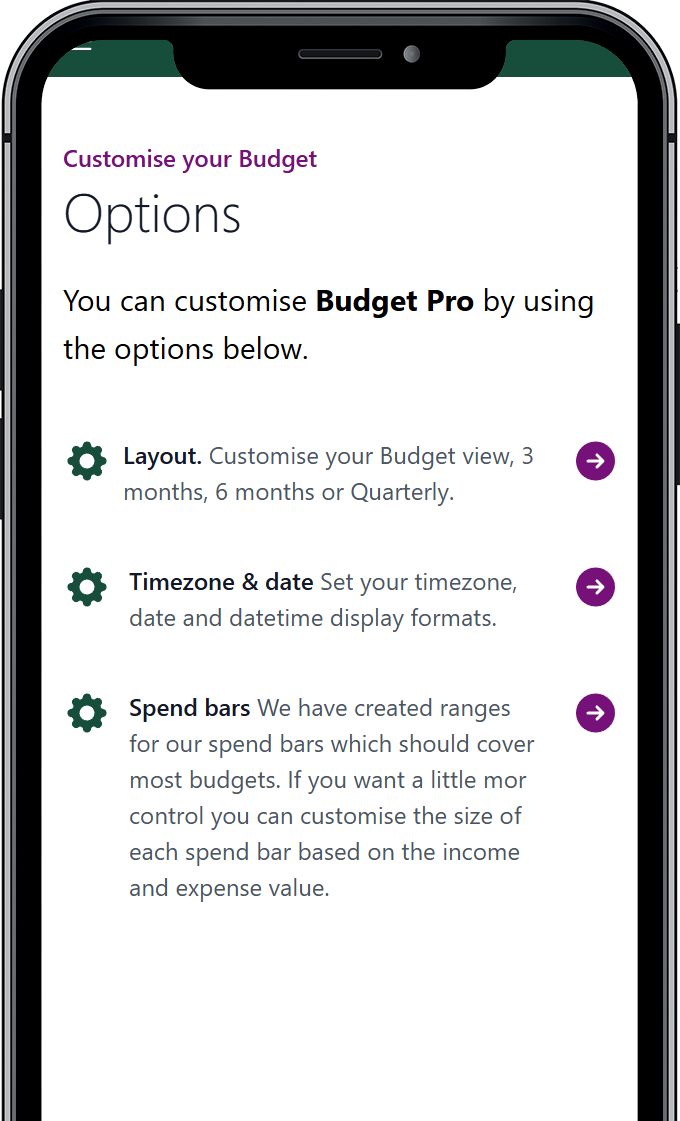
Tune the spend bars
The bars that size each item against your income and expenses use sensible ranges by default, and you can adjust them.

Related reading: Allocating your money before the month starts

Plan your savings, not just your spending

Set a target for a savings account and Budget Pro works out whether your plan gets you there.

Savings accounts with a target
Add a savings account, feed it with planned savings items and set the amount you are aiming for.
Work out what it takes
Two calculators, "I want this much by this date" and "I want to add this much by this date", each tell you the monthly amount needed and check it against what you are actually planning to save.
See when you will get there
When a target is set, the accounts view shows the date you are on course to reach it at your current rate.

Related reading: How to build an emergency fund

Start planning with Budget Pro

£89.99 once. No subscription. No card needed for the trial.

Register (30 day trial)

Four ways to get started

However you begin, the same tools are available. The only difference is how long it takes to build your first plan.

Answer a few questions
A guided set of questions builds a starting budget you can then refine.
Load a demo
Pick a currency and explore a full, editable example budget.
Import from Budget
Bring your items, accounts and balances across from the free Budget app.
Build it by hand
Add accounts and items yourself for full control from the start.

Getting started with Budget Pro · The three-step workflow

What you get

One payment
£89.99 for lifetime access, including every future update. No subscription.
A real trial
30 days, no card needed to start.
Your data stays yours
No bank login and no Open Banking. Reset a budget or delete your account whenever you want.
Built on an open API
Budget Pro runs on the open Costs to Expect API, which you are free to use directly.

Budget Pro FAQs · Refund policy

Common questions

Is Budget Pro a subscription?
No. Budget Pro is one payment of £89.99 for lifetime access, and that includes every future update. There is a 30 day trial and no card is needed to start it.
What is the difference between Budget and Budget Pro?
Budget is our free, open source app: one budget and simpler scheduling. Budget Pro adds up to three budgets, four-weekly items, transfers between accounts, savings targets, projections across every account, batch changes and more. You can import a Budget into Budget Pro.
Do I need to connect my bank?
No. Budget Pro has no bank login and no Open Banking. You enter what you plan to earn and spend; nothing is pulled from your accounts.
Which currencies does Budget Pro support?
Sterling, Euro, US dollars, Canadian dollars, Australian dollars, New Zealand dollars and Indian rupees. Each budget uses one currency.
How many budgets can I create?
Up to three, each with its own accounts and currency.
Can I export or delete my data?
Yes. You can reset a budget, or delete your Budget Pro account or your whole Costs to Expect account at any time. You can export your data via the Costs to Expect API or by getting in touch with us.
Plan your money before you spend it

Start a 30-day trial. No card needed.

Register (30 day trial)